


Understanding VGA and Touchscreen Compatibility
In the realm of display technology, understanding the compatibility between VGA ports and touchscreen functionalities is paramount. VGA, or Video Graphics Array, primarily serves as a video transmission standard that does not inherently support touch capabilities. To convert a regular monitor to a touchscreen via a VGA connection, additional components are necessary to facilitate the touch data transmission.
Converting a Monitor to a Touchscreen: Is it Feasible?
The feasibility of converting a standard monitor into a VGA touchscreen largely depends on the existing infrastructure of the device and the availability of suitable interfaces. Monitors are traditionally designed for display output, while the incorporation of touch functionality necessitates additional hardware and software adaptations that are not natively supported by VGA alone.
The Role of Adapters in Monitor to Touchscreen Conversion
Adapters play a crucial role in the conversion process. A common query involves the use of VGA to DisplayPort adapters to accommodate touchscreens with newer PCs. Such adapters allow for video signal compatibility, but they do not inherently transfer touch data, necessitating additional solutions such as USB or serial connections.
Importance of Data Connection Ports for Touchscreens
Understanding Data Transfer Mechanisms
For a touchscreen to function, it requires a dedicated data connection that typical video interfaces do not provide. This connection is often facilitated through USB or COM ports, which transmit the touch input data back to the computer, mimicking mouse functionality.
Ensuring Port Compatibility
In conversion scenarios, it's vital to ensure that the factory settings of new devices support existing port types, or that suitable adapters are used. This guarantees that wholesale transformations from non-touch to touch capabilities can be executed without significant technical hurdles.
Drivers and Software Requirements for Touch Functionality
Necessity of Compatible Drivers
Drivers are an essential component for touchscreens to function correctly. While some touchscreens are HID-compliant, allowing for plug-and-play functionality, others require specific drivers that may not be readily available, particularly for outdated systems. Manufacturer websites and hardware forums can be valuable resources for obtaining the necessary software.
Addressing Software Compatibility
Compatibility with modern operating systems, such as Windows 11, can be a challenge for older touchscreen models. Businesses operating at scale or in industries where touch functionality is critical must ensure that their software solutions align with their hardware capabilities.
Adjusting Resolution and Display Settings
Impact of Resolution on Touch Accuracy
The resolution settings of a monitor can directly impact the efficacy of touch inputs. Certain older touchscreens require specific resolutions, like 800x600, to function properly. Adjusting the monitor settings to accommodate these requirements is crucial for ensuring accurate touch recognition and seamless user interaction.
Maintaining Optimal Display Orientation
Ensuring that the monitor's orientation matches the user's intended usage is crucial for touch accuracy. This includes setting the correct full-screen mode and maintaining consistency between the monitor's physical setup and its digital configuration within the operating system.
When Hardware Upgrades Are Necessary
Evaluating Legacy Systems
Legacy systems may lack the requisite hardware capabilities or interface options to support touchscreen functionality directly. In such cases, upgrading to more modern components that support touch inputs, either via intrinsic capabilities or through compatible add-ons, may be necessary.
Cost-Benefit Analysis of Upgrades
Performing a cost-benefit analysis is essential when considering hardware upgrades. Evaluating the investment required against the projected return in productivity or functionality assists businesses in making informed decisions about whether to pursue equipment updates or enhancements.
New Touchscreen Monitor
In addition to adapting existing equipment, procuring new touchscreen monitors designed with integrated functionality remains an option. These monitors, often available through wholesale distributors or directly from manufacturers, offer seamless integration with current systems and eliminate the need for complex conversions.
Practical Solutions for Legacy Touchscreen Usage
Implementing Adapters and Converters
For those committed to retaining legacy hardware, employing specific adapters and converters can bridge the gap between non-touch monitors and touchscreen functionality. These solutions allow for incremental upgrades without necessitating a complete system overhaul.
Partnering with a Solution Provider
Engaging with a capable solution provider can simplify the conversion process. These partners offer expertise in configuring and deploying the necessary hardware and software modifications to enable touch capability on otherwise incompatible systems.
Exploring HID-Compliant Touchscreen Options
Advantages of HID Compliance
HID-compliant touchscreens offer significant advantages in terms of ease of integration and compatibility. These devices are recognized by most operating systems without requiring additional drivers, making them a practical choice for immediate deployment.
Selecting the Right Model
When selecting HID-compliant touchscreens, evaluating factors such as response time, durability, and interface options ensures that businesses select the best model for their specific needs. Factory consultations can also provide insights into suitable models and configurations.
Future Considerations for Touchscreen Technology
The evolution of touchscreen technology continues to shape its future applications. Innovations in multi-touch capabilities, gesture recognition, and haptics promise to enhance user interaction, providing opportunities for businesses to adopt cutting-edge solutions aligned with their operational goals.
Hangzhou Grahowlet Provide Solutions
At Hangzhou Grahowlet, we specialize in providing tailored solutions for those seeking to integrate touch functionality into their existing systems. Our expertise in touch technology enables us to offer solutions ranging from hardware upgrades to complete system overhauls, ensuring your business remains at the forefront of technological advancements.
User hot search: Vga Touch Screen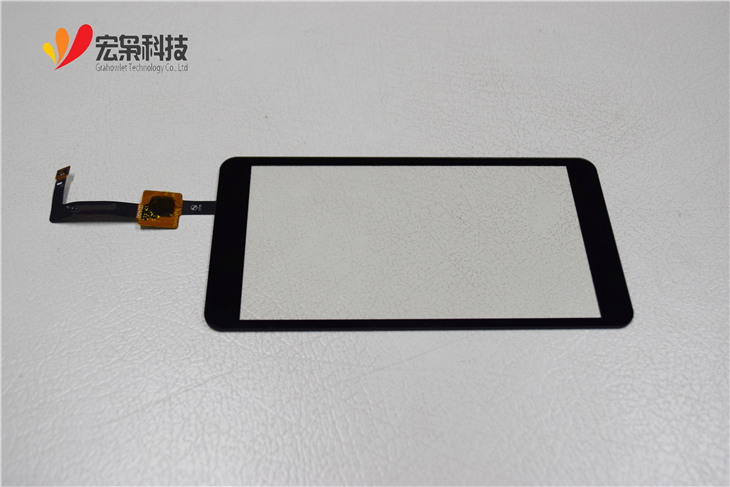

 Privacy settings